
When a pressure vessel fabrication audit is days away, the documentation behind your welds, materials, and design calculations matters as much as the equipment itself. Incomplete records, version mismatches, and scattered spreadsheets can stall approvals and force rework at the worst possible time. Pressure vessel documentation software from CEI gives you an integrated path from design compliance through fabrication traceability, so your records are audit-ready before the inspector arrives.
This comparison walks through five documentation platforms built for pressure equipment workflows. You will see how each tool handles code compliance reporting, welding procedure management, and fabrication audit readiness, so you can identify the right fit for your engineering team.
Quick guide: 5 best pressure vessel documentation software for code compliance
- CEI (ProWrite + DesignCalcs + Fabrication Manager): The best integrated documentation suite for ASME code compliance and full fabrication traceability.
- Octave (Aspect Pressure Vessel): Design-focused calculation tool covering ASME and global codes for vessel analysis.
- WeldTrace: Cloud-based welding management platform connecting WPS records to project handover.
- Codeware (COMPRESS + Shopfloor): Pressure vessel design software paired with a welding procedure module for ASME VIII workflows.
- VCLAVIS: Web-based pressure vessel design calculation tool supporting ASME VIII Div 1 and EN 13445.
How we chose the best pressure vessel documentation software
Pressure vessel documentation is not a generic records problem. When you are fabricating to ASME Section VIII or managing welding procedures under Section IX, your documentation software needs to understand the codes you work with every day. Here is what we evaluated when comparing these platforms.
- Code compliance coverage: Does the tool support ASME Section VIII, Section IX, AWS D1.1, EN 13445, and other applicable standards so your calculations and procedures stay aligned with current code editions?
- Audit-ready output: Can you generate Manufacturer's Data Reports, compliance documentation, and ready-to-submit records without assembling pages from multiple disconnected systems?
- Welding procedure management: Does the platform handle WPS, PQR, and WPQ creation, revision control, and welder continuity tracking in a structured workflow?
- Fabrication traceability: Can you trace a weld joint back through the procedure, the welder qualification, the material certificate, and the design calculation that defined it?
- Integration and workflow connectivity: Does the software connect design, analysis, and documentation steps so data flows between tools without manual re-entry?
- Deployment flexibility: Is the platform available as a cloud-based service, an on-premise installation, or both, to match your IT requirements and field access needs?
The 5 best pressure vessel documentation software for fabrication audit readiness
1. CEI (ProWrite + DesignCalcs + Fabrication Manager): Best overall documentation suite for ASME compliance and fabrication traceability
CEI provides a connected set of tools that address the full documentation lifecycle for pressure vessel fabrication. Rather than treating design and welding documentation as separate problems, CEI links DesignCalcs, ProWrite, and Fabrication Manager into a single-source-of-truth workflow.
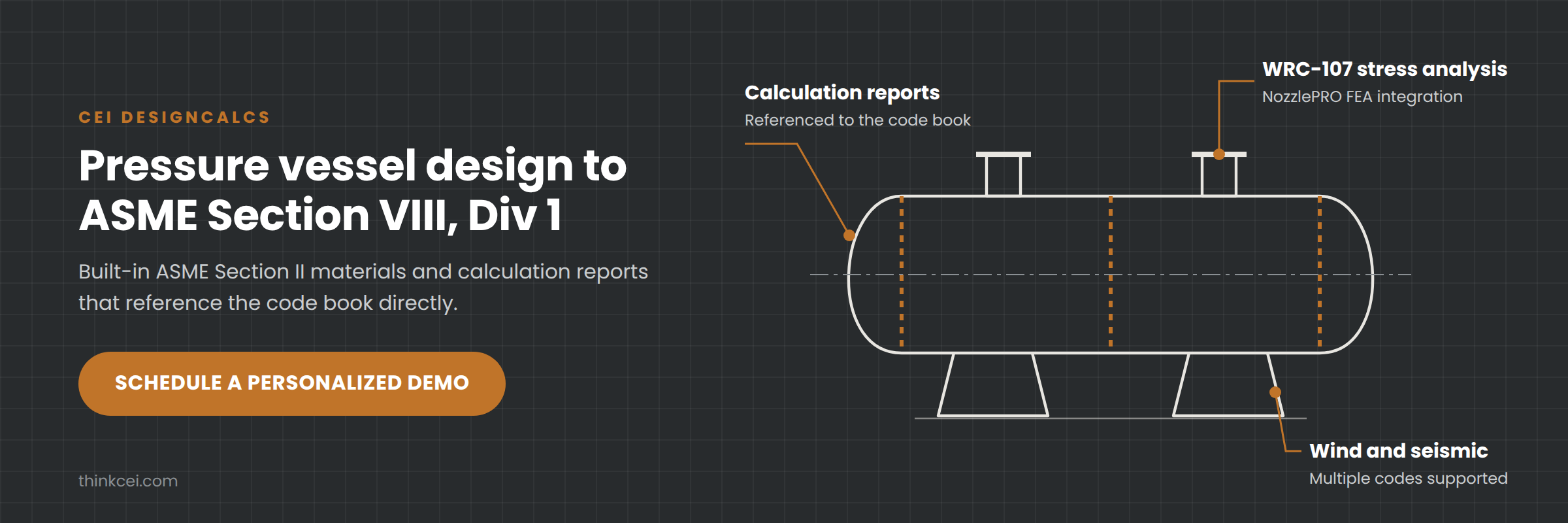
DesignCalcs handles pressure vessel design calculations to ASME Section VIII Div 1, including embedded material libraries and WRC-107 stress analysis. ProWrite manages welding procedure documentation for ASME Section IX, AWS D1.1, API 1104, NAVSEA, and BS/EN/ISO codes. Fabrication Manager then connects those outputs to scheduling, inspection tracking, and project documentation.
CEI's documentation suite gives you code-assisted document creation, built-in error checking, and automated welder continuity tracking. That combination reduces the manual switching between references, code books, and spreadsheets that makes fabrication documentation slow and error-prone.
CEI features
- Code-assisted WPS and PQR creation: ProWrite references current ASME Section IX and AWS D1.1 code rules during document creation, helping you catch compliance gaps before they reach an inspector.
- Integrated ASME VIII design calculations: DesignCalcs automates Section VIII Div 1 compliance calculations with access to ASME BPVC Section II materials, so your design reports and vessel calculations share a single data source.
- Automated welder continuity tracking: CEI monitors welder qualification expiration dates and sends automated notifications, helping you prevent the requalification costs that come from expired certifications.
- Fabrication project coordination: Fabrication Manager connects design data, welding procedures, inspection records, and scheduling into one platform, so your team works from current documentation at every stage.
- NozzlePRO integration: DesignCalcs connects directly with NozzlePRO from Paulin Research Group for finite element analysis of nozzle loads, giving you FEA validation without leaving your design workflow.
- Multi-code document support: ProWrite covers ASME, AWS, API, MILSPEC, NAVSEA, and BS/EN/ISO codes, so fabrication shops working across multiple code jurisdictions can manage all their procedures in one system.
CEI pros and cons
Pros:
- CEI integrates design calculations, welding procedures, and fabrication project management into a connected workflow with shared data.
- Automated code assistance in ProWrite reduces the manual cross-referencing that causes documentation errors.
- Welder continuity tracking with automated alerts helps you avoid unexpected requalification downtime.
Cons:
- The full integration across DesignCalcs, ProWrite, and Fabrication Manager is most useful when you adopt multiple CEI products rather than a single standalone module.
- Engineers working exclusively under EN 13445 or PD 5500 for vessel design may want to pair CEI's ProWrite with Finglow for broader international code coverage on the design side.
- Advanced FEA workflows through the Paulin Research Group integration involve additional product configuration.
2. Octave (Aspect Pressure Vessel): Design-centric analysis tool for multi-code vessel calculations
Octave's Aspect Pressure Vessel, formerly PV Elite, covers vessel and heat exchanger design with support for ASME Section VIII and international codes. The tool evaluates entire vessels, including fitness-for-service analysis under API 579, and generates calculation reports in multiple formats.
Aspect Pressure Vessel focuses on the design and analysis side of pressure vessel engineering. It includes FEA support backed by WRC bulletins and offers code edition switching within the same model. Documentation output centers on calculation reports and compliance verification rather than welding procedure management or fabrication project tracking.
Octave features
- Multi-code vessel analysis: Supports ASME Section VIII along with regional codes for design and re-rating calculations.
- Built-in FFS evaluation: Includes API 579 fitness-for-service analysis for assessing existing equipment condition.
- Customizable calculation reports: Generates exportable reports for code compliance documentation.
Octave pros and cons
Pros:
- Covers the full vessel evaluation workflow from initial design through fitness-for-service assessment.
- Supports multiple code editions in one model, allowing engineers to compare code-year results.
- Includes heat exchanger design at no additional module cost.
Cons:
- Does not include welding procedure management or WPS/PQR documentation capabilities.
- Fabrication traceability and project coordination require separate tools outside Octave's product line.
- Welder qualification tracking and continuity monitoring are not part of the platform.
3. WeldTrace: Cloud welding management connecting procedures to turnover packs
WeldTrace provides a cloud-based welding management platform that connects WPS and PQR records, welder qualifications, drawings, weld maps, inspection, NDE, and handover documentation. The platform tracks each weld through a visible lifecycle from qualification through turnover.
WeldTrace's approach centers on keeping every welding record linked and current. Drawing annotations create weld records directly from visual maps, and material traceability connects heat numbers and filler-metal batches to individual joints. The platform generates turnover packs once all required records for an area are complete.
WeldTrace features
- WPS and PQR workflow: Carries information from preliminary WPS through PQR to approved WPS with revision tracking.
- Pictorial weld mapping: Annotates weld locations on drawings and links each annotation to procedures, people, and inspection records.
- Turnover pack generation: Compiles completed records into handover documentation when all required items are verified.
WeldTrace pros and cons
Pros:
- Connects welding procedures, qualifications, inspection, and handover in one cloud-based record.
- Visual weld mapping on drawings helps inspectors and supervisors locate weld history by joint.
- Supports both metric and US customary units with mobile app access.
Cons:
- Does not include pressure vessel design calculations or ASME Section VIII compliance analysis.
- Code-specific validation logic for ASME Section IX is limited compared to purpose-built welding procedure software.
- Fabrication ERP features such as scheduling and cost estimation are not part of the current platform.
4. Codeware (COMPRESS + Shopfloor): Vessel design engine with welding module for ASME VIII
Codeware's COMPRESS handles ASME Section VIII pressure vessel design with built-in FEA, solid modeling, and automatic drawing generation. The companion Shopfloor module adds welding procedure management, connecting fabrication documentation to the vessel design model.
COMPRESS transfers design information directly to ASME Manufacturer's Data Report forms (U-1, U-1A, U-2, U-2A, and others), reducing the data re-entry required for compliance submissions. The platform also supports API 650 storage tank modeling and Division 2 calculations for higher-pressure applications.
Codeware features
- Automated Manufacturer's Data Reports: Transfers vessel data directly to ASME U-1 and related forms.
- Built-in FEA: Includes finite element analysis for nozzles, clips, and TEMA expansion joints within the design environment.
- Shopfloor welding module: Manages welding procedures with integration to COMPRESS-created vessel models.
Codeware pros and cons
Pros:
- Automatic population of ASME Manufacturer's Data Report forms reduces manual data entry for compliance submissions.
- Supports multiple ASME code editions and material editions in one program.
- Quick Design mode accelerates the initial vessel modeling process.
Cons:
- Welding procedure management requires the separate Shopfloor module rather than being integrated into the core design tool.
- Does not cover AWS D1.1, API 1104, or NAVSEA code documentation within the welding module.
- Fabrication project coordination, scheduling, and ERP functionality are not included.
5. VCLAVIS: Web-based vessel design calculator for ASME and EN codes
VCLAVIS offers a web-based pressure vessel design platform supporting ASME VIII Div 1, EN 13445, AD 2000, and PD 5500. The tool runs in a browser, which eliminates local software installation and allows engineers to access calculations from any device with an internet connection.
The platform includes automated calculations, built-in material databases, and real-time validation for non-compliant designs. VCLAVIS supports local load analysis using WRC 537, WRC 297, and code-specific rules, along with fatigue analysis and rigging assessment capabilities.
VCLAVIS features
- Browser-based access: Runs in any web browser on Windows, macOS, or Linux without local installation requirements.
- Multi-code support: Covers ASME VIII Div 1, EN 13445, AD 2000, and PD 5500 in one platform.
- Real-time design validation: Provides alerts for non-compliant inputs during the calculation process.
VCLAVIS pros and cons
Pros:
- Web-based access makes the tool available without local installation, which suits remote teams and field engineers.
- Supports multiple international codes in a single environment.
- Collaborative cloud storage allows multiple engineers to access the same project simultaneously.
Cons:
- Does not include welding procedure management, WPS/PQR creation, or welder qualification tracking.
- Fabrication documentation, inspection records, and project coordination are outside the platform's scope.
- Requires a stable internet connection for all design work, which may limit use in some shop-floor or field environments.
Comparison table: The best pressure vessel documentation software for fabrication compliance
| Software | WPS/PQR management | Welder continuity tracking | Fabrication ERP |
|---|---|---|---|
| CEI | ✓ | ✓ | ✓ |
| Octave | ✗ | ✗ | ✗ |
| WeldTrace | ✓ | ✓ | ✗ |
| Codeware | ✓ | ✗ | ✗ |
| VCLAVIS | ✗ | ✗ | ✗ |
What should pressure vessel documentation software include for audit readiness?
Audit readiness in pressure vessel fabrication depends on more than having the right files in a folder. An Authorized Inspector reviewing your documentation expects to trace any weld joint back to the approved WPS, the qualified PQR, and the welder's current qualification record. When those connections are manual, gaps appear.
Your documentation software should maintain version-controlled procedures that reflect current code editions. It should link design calculations to the specific vessel components they cover. And it should track welding process records from qualification through production so an inspector can follow the chain without asking your team to reconstruct it.
The difference between documentation that supports an audit and documentation that delays one often comes down to traceability. When your WPS, PQR, material certificates, and inspection records live in a connected system, the evidence is already assembled when you need it.
How does code compliance reporting reduce risk in pressure vessel fabrication?
Code compliance reporting is not just a regulatory checkbox. It is the mechanism that confirms your vessel was designed, welded, and inspected according to the applicable standard. When compliance gaps go undetected, the consequences can range from rejected data report submissions to costly rework and schedule delays.
Automated code compliance reporting reduces risk by checking your inputs against current code rules during the documentation process rather than after the fact. According to a Kezar Engineering analysis of manufacturing record books, a reliable MRB depends on controlled indexing and consistent identifiers across all fabrication records.
Tools that embed code logic into the document creation workflow catch errors before they reach the shop floor. CEI's ProWrite, for example, references ASME Section IX rules during WPS and PQR creation, flagging compliance issues at the point of entry rather than during a post-fabrication review.
Why CEI is the best pressure vessel documentation software for audit readiness
Most pressure vessel documentation platforms solve part of the problem. Design tools produce calculations. Welding software generates procedures. Project management tools track schedules. CEI connects all three into a single documentation workflow where design data, welding procedures, and fabrication records share a common data source.
That connected approach is what makes CEI's documentation suite the right choice for engineering teams that need audit-ready records. ProWrite applies code logic during WPS and PQR creation, tracks welder continuity with automated notifications, and covers ASME, AWS, API, NAVSEA, and international welding codes in a single platform.
DesignCalcs handles ASME Section VIII Div 1 compliance calculations with integrated NozzlePRO FEA. Fabrication Manager ties it all together with project coordination, inspection tracking, and document management.
If your fabrication team spends too much time assembling compliance packages from disconnected tools, CEI gives you a structured path to audit-ready documentation. Schedule a discovery call to see how the platform fits your workflow.
FAQs about pressure vessel documentation software
What is pressure vessel documentation software?
Pressure vessel documentation software manages the design calculations, welding procedures, inspection records, and compliance reports required for fabricating pressure equipment to codes like ASME Section VIII. CEI's suite connects these records into a single traceable workflow so your documentation stays current and audit-ready.
Which codes does CEI's ProWrite support for welding documentation?
ProWrite supports ASME Section IX, AWS D1.1, API 1104, NAVSEA, MILSPEC, and BS/EN/ISO welding codes. This multi-code coverage lets fabrication shops manage all their welding procedure documents in one system, regardless of the code jurisdiction a project requires.
Can documentation software help prevent welder qualification expirations?
Yes. CEI's ProWrite includes automated welder continuity tracking that monitors qualification expiration dates and sends notifications before a welder's certification lapses. This helps you avoid the requalification costs and production delays that come from expired credentials.
Do I need separate tools for design calculations and welding procedures?
With many platforms, yes. CEI is different because DesignCalcs and ProWrite share data through Fabrication Manager, giving you an integrated workflow from vessel design through welding documentation. That integration eliminates the manual data transfer between disconnected tools.
How does fabrication traceability improve audit outcomes?
Fabrication traceability lets an Authorized Inspector follow any weld joint from the production record back to the approved procedure, the welder's qualification, and the original design calculation. CEI's Fabrication Manager maintains these connections automatically, so the evidence chain is complete before an audit begins.



Leave a Comment